Claude for Business: What It Does, What It Costs, and What You Still Need to Think Through
If you've been searching for Claude for business, you're probably trying to work out whether there's a specific business version, what it includes, and whether it's worth paying for.
Yes, there is a specific Claude for Small Business product, launched in May 2026.
It gives you pre-built workflows across finance, operations, and marketing, and it connects directly to tools like Google Workspace, Canva, HubSpot, and Slack.
It's included in your existing Claude subscription, so if you're already on a paid plan, you don't pay extra.
It's genuinely more practical than most AI business tools, but there is a gap between what it does out of the box and what most small businesses actually need to make it work properly.
Keep reading to find out how to get the most out of it.
What is Claude for Business?
Claude is an AI assistant built by Anthropic, and it runs on a tiered subscription model.
There's a free plan for general use, a Pro plan for heavier individual users, a Team plan for organisations with multiple people, and an Enterprise tier for larger companies.
All of these give you access to Claude for everyday tasks, including writing, research, summarising, analysis, and working through problems.
In May 2026, Anthropic launched something more specific for small businesses - Claude for Small Business.
This is a toggle-on feature inside the Claude desktop app that connects Claude directly to the tools most small business owners are already using.
It's designed to handle back-office tasks that pile up and slow things down, not just provide chat-style AI assistance.
What Does Claude for Small Business Include?
Claude for Small Business ships with pre-built agentic workflows and skills across three areas: finance, operations, and marketing.
It connects directly to QuickBooks, PayPal, HubSpot, Canva, DocuSign, Google Workspace, Microsoft 365, and Slack.
The finance workflows handle invoicing, payment chasing, and month-end close tasks.
The operations workflows cover document drafting, approvals, and general admin.
On the marketing side, it handles content creation, email drafts, and campaign support within tools like HubSpot and Canva.
Importantly, Claude doesn't act without your permission.
It performs background tasks but requires your approval before anything is sent, posted, or paid.
It also inherits the permissions you've already set up in each connected app, so you're not handing over full access with no guardrails.
Skills, Connectors, and Plugins: What's the Difference?
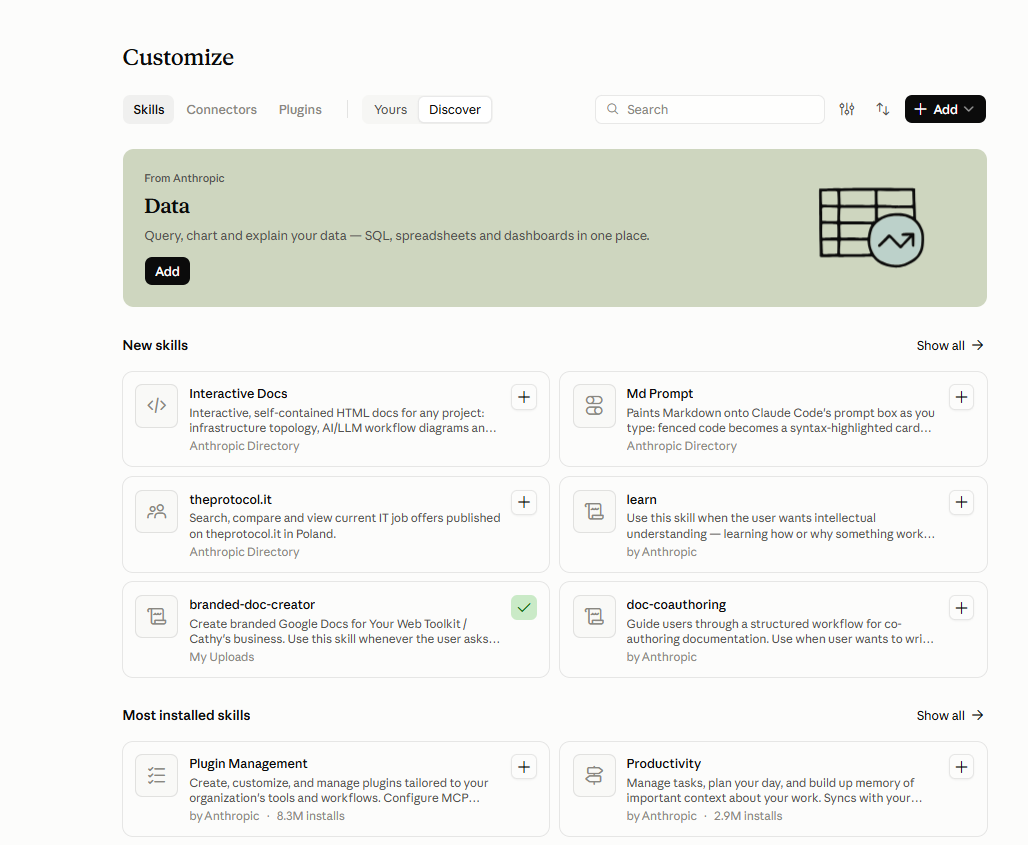
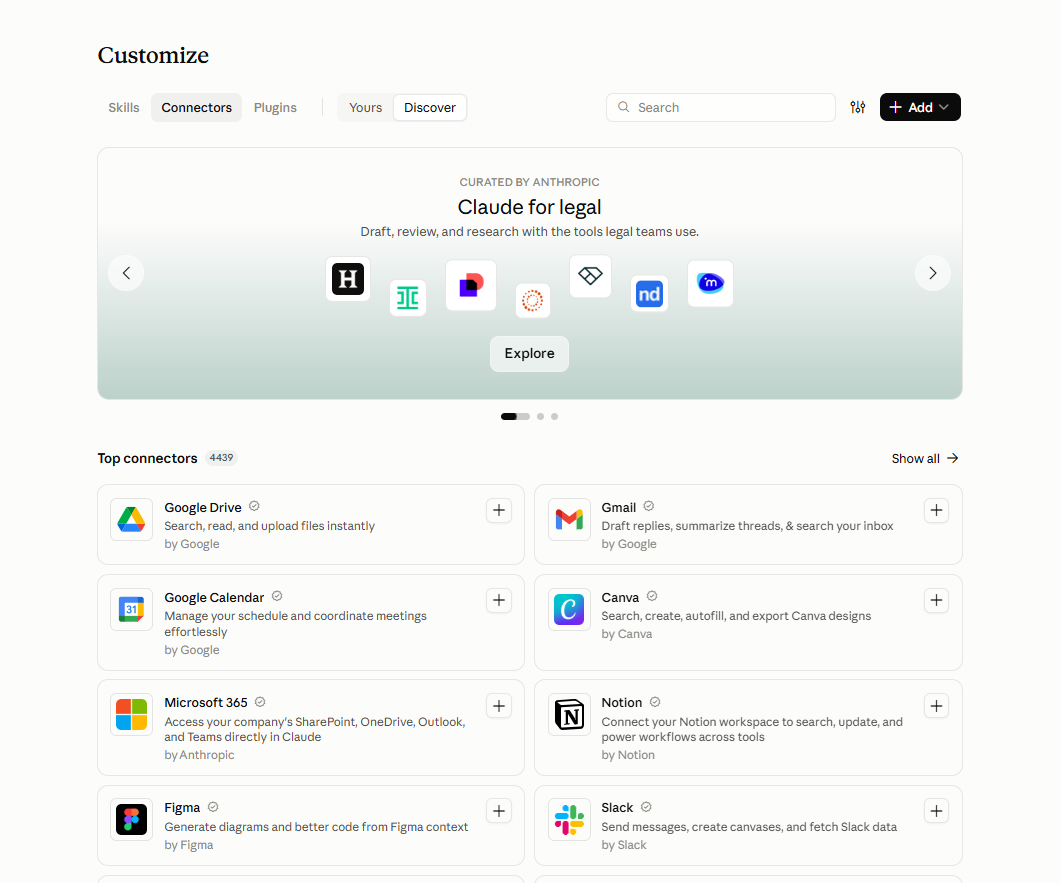
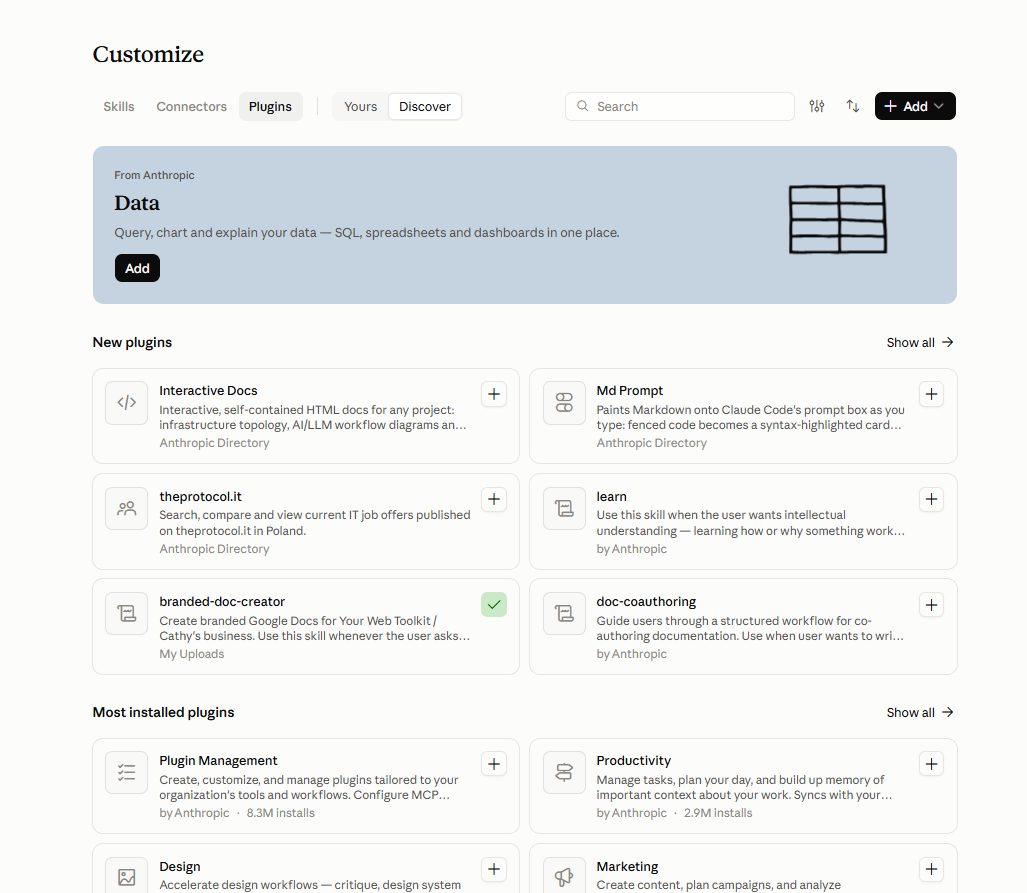
When you open the Customize section in Claude, you'll see three tabs: Skills, Connectors, and Plugins.
They're related but they do different things, and understanding the distinction helps you set Claude up properly rather than just poking around and hoping something sticks.
Skills
Skills are capabilities that change how Claude behaves or what it can produce.
Think of them as templates and toolsets built on top of Claude's core abilities.
Some are from Anthropic, some are from third parties, and you can add your own.
A skill might give Claude a specific workflow for creating documents, handling prompts in a particular format, or managing tasks to a house style.
The pre-built business skills live here.
Skills tell Claude how to do things.
Building Your Own Skills
The real power of Skills is that you're not limited to what Anthropic provides.
You can build your own, tailored to how your specific business works.
A skill you build yourself might reflect your tone of voice, your client onboarding process, or the exact format you use for proposals.
That's the difference between a generic AI output and one that actually sounds like you.
Connectors
Connectors are the integrations.
This is where you link Claude to the tools you already use: Google Drive, Gmail, Google Calendar, Canva, Microsoft 365, Notion, Figma, Slack.
Once a connector is active, Claude can read from and write to that tool directly, pulling a file from Drive, drafting a reply in Gmail, updating a Notion page.
Without connectors, Claude works only with what you paste into the chat.
With them, it works within your actual systems.
Connectors tell Claude where to find and send things.
Plugins
Plugins extend what Claude can do beyond its defaults.
They're similar to Skills but tend to add new functional areas rather than workflows, things like data analysis, design tools, or marketing capabilities.
Anthropic curates a set, and there's a growing marketplace of third-party plugins.
If Skills are about how Claude works and Connectors are about where it works, Plugins are about what else it can do on top of that.
For most small business owners, the practical starting point is: add the Connectors for the tools you use every day first, then look at Skills to see which workflows match how you already work.
Plugins are worth exploring once the basics are set up and you know what's still missing.
How Much Does Claude Cost for Business?
Claude for Small Business is included in your existing Claude subscription at no extra charge.
You don't pay more to enable the Small Business features; you just need a paid plan and the Claude Cowork desktop app.
The Pro plan for individual users costs around £18 per month.
The Team plan is priced per seat for organisations with multiple users.
Enterprise pricing is negotiated directly with Anthropic.
So the real question isn't whether Claude for Small Business costs more (it doesn't) but whether the underlying Claude subscription is worth it given how you'd actually use it.
For most small business owners I work with, the Pro plan is the right starting point.
What Claude for Business Is Genuinely Good At Day to Day
Beyond the specific Small Business workflows, Claude is useful for a wide range of everyday tasks.
It handles first drafts well, which means less time staring at a blank page for emails, proposals, social posts, and client reports.
It's good at summarising long documents, pulling key points from meeting notes, and working through strategic questions when you give it enough context.
Where it stands out compared to other AI tools is in following complex, detailed instructions.
Give Claude a thorough brief and it tends to stay on brief.
That makes it particularly useful for content creation that needs to sound like you, or tasks where tone and consistency matter.
The Claude for Small Business workflows take this further by automating the repetitive stuff: sending follow-up invoices, pulling together a month-end report, drafting marketing emails from within HubSpot.
Not glamorous, but these are exactly the tasks that eat time without requiring much thinking.
How to Get More Out of Claude in Your Business
Here's where Claude for Small Business falls short.
It gives you the workflows, but it doesn't tell you which ones are worth using for your specific business, how to sequence them, or how to build them into how you actually work.
And although projects combined with the workflows can really help to make your marketing and operations more efficient, it can also quickly get unwieldy.
Most small business owners who try AI tools go through the same cycle.
They set something up, use it for a few days, then drift back to the old way because the tool doesn't quite fit their workflow yet, or it takes more prompting than expected, or they're not sure they're using it right.
Getting consistent value from Claude in a service business usually requires some upfront thinking: working out where your time actually goes, deciding which tasks are worth automating first, and setting Claude up with enough context about your business that it can genuinely stand in for you rather than producing something you have to heavily edit.
Frequently Asked Questions
Is there a specific Claude for business plan?
Yes. Claude for Small Business is a feature set available inside the Claude desktop app, and it's included with your existing Claude subscription at no extra charge. It launched in May 2026 and adds pre-built workflows that connect Claude to tools like QuickBooks, HubSpot, Canva, and Google Workspace.
Is Claude better than ChatGPT for business?
They're different tools with overlapping capabilities. Claude tends to handle long documents and detailed instructions more reliably, and its responses stay more consistent when you give it a complex brief. ChatGPT has a larger plugin ecosystem and wider integration with Microsoft products. Which is better depends on what you actually need it to do, and for most service business owners, either would work well if set up properly.
How much does Claude cost for businesses?
The Pro plan for individual users is around £18 per month. The Team plan is priced per seat for organisations with multiple users. Claude for Small Business is included in those plans at no additional cost; you just need the Claude desktop app to access the Small Business features.
What's the difference between Claude Pro and Claude for Small Business?
Claude Pro is the individual subscription plan. Claude for Small Business is a set of features and workflows you enable within the Claude desktop app. You need a paid Claude plan to access it, but there's no separate "Claude for Business" pricing tier on top of your existing subscription.
Can Claude help me run my business?
It can handle a meaningful chunk of the repetitive work: drafting, summarising, invoicing, chasing payments, scheduling, and content creation. What it cannot do is make the strategic decisions about which tasks to prioritise, how to set it up in a way that fits your specific business, or how to make sure it sounds like you rather than a generic AI output. That part still needs human thinking.